Project risk workbook
Risk Register Template
Use a practical Excel workbook to record project risks, score likelihood and impact, assign owners, plan responses, and review residual risk. The included matrix makes the scoring model visible.
Download the risk register
The XLSX contains four worksheets: Risk Register, Risk Matrix, Completed Example, and Instructions. The PDFs split the wide register into two readable landscape pages.
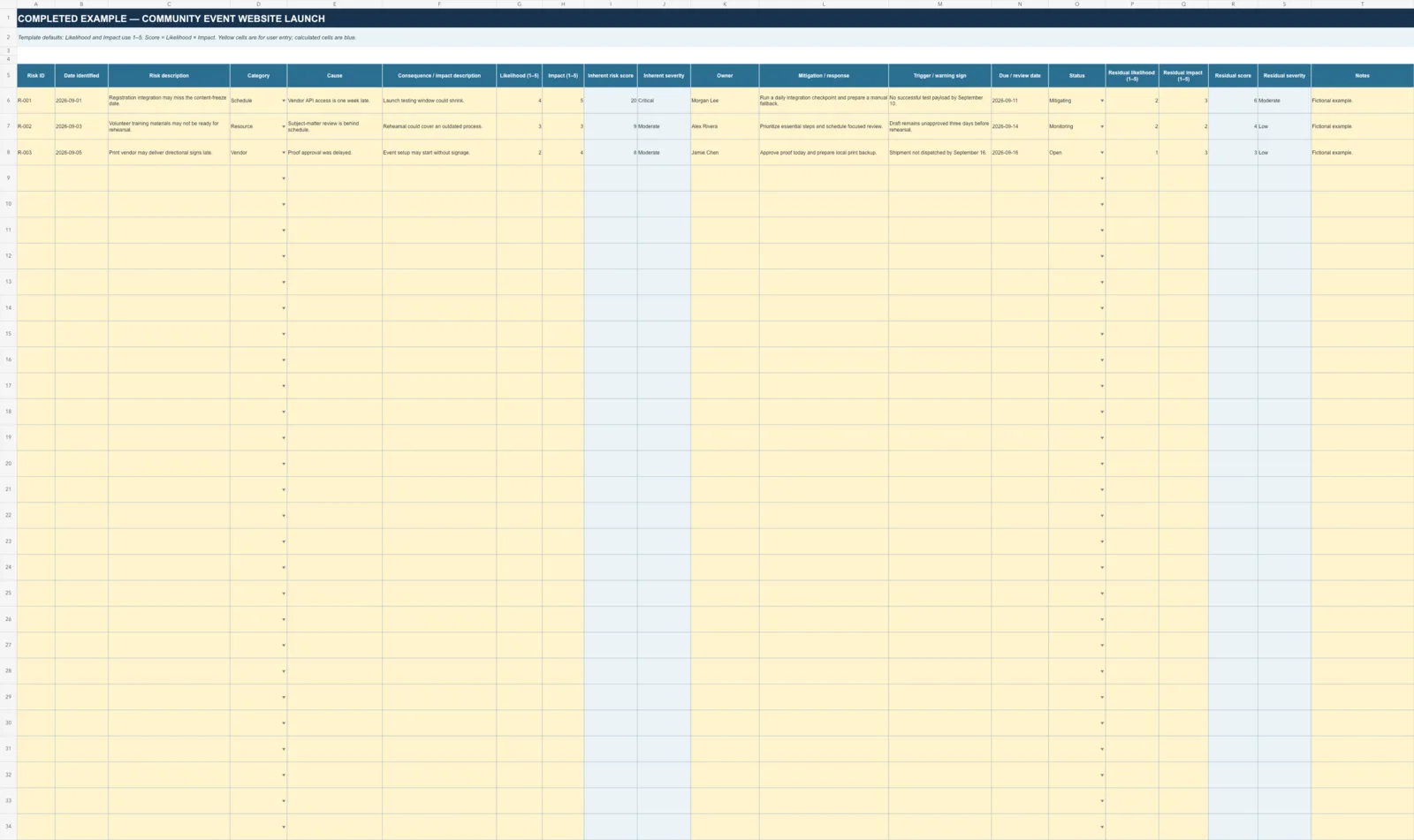
Automatic scoring
Likelihood and Impact each use a 1–5 scale. The workbook calculates:
Risk score = Likelihood × Impact
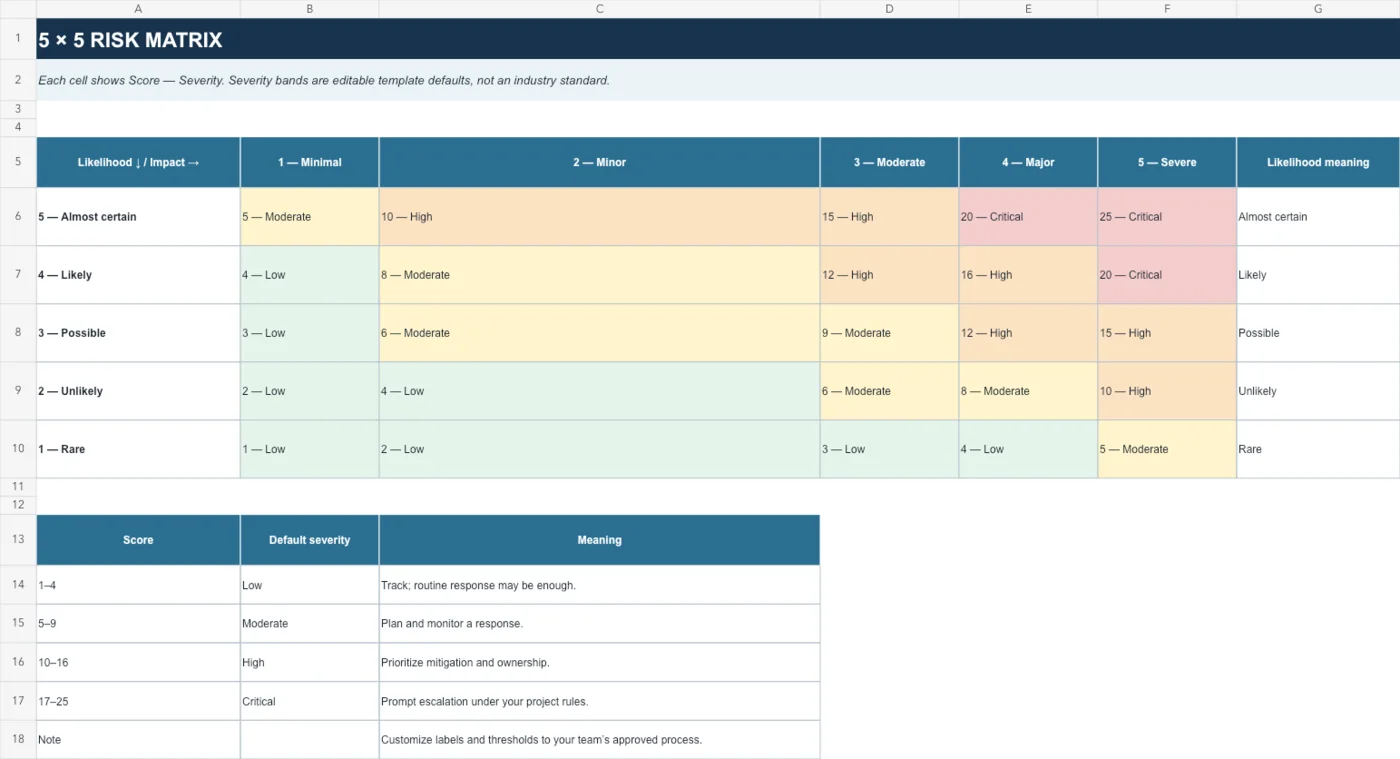
Default severity bands are Low 1–4, Moderate 5–9, High 10–16, and Critical 17–25. They are clearly labeled as editable template defaults.
Residual risk
Enter residual likelihood and impact after considering the planned response. The workbook calculates the residual score without inventing a mitigation percentage.
Blank rating cells stay blank until both inputs are present.
5×5 likelihood and impact matrix
Every cell displays its numeric score and severity label, so color is not required to understand the matrix.
How to use the workbook
- Describe a possible future project event and its potential consequence.
- Choose likelihood and impact ratings using your team’s agreed definitions.
- Assign one owner, document the response, and set a review date.
- Add a warning trigger and update status during project reviews.
- Enter residual ratings after considering the planned response.
Related project resources
Use the RAID Log Template when you need one log for risks, assumptions, issues, and dependencies. For production planning, see the Call Sheet Template and Run of Show Template.