Equipment records, kept locally
Equipment Maintenance Log Template
Keep a dated service history for non-vehicle equipment and see what is due next. The Excel workbook connects an equipment register to maintenance entries, upcoming dates, and a summary. A separate editable Word record and printable PDFs help with one asset at a time. No account or upload is required.
Download equipment maintenance files
Open the Excel file in a spreadsheet app. Print the PDFs at Actual Size. The sample equipment and service entries in the workbook are fictional; replace them with your own records.
Preview the actual workbook
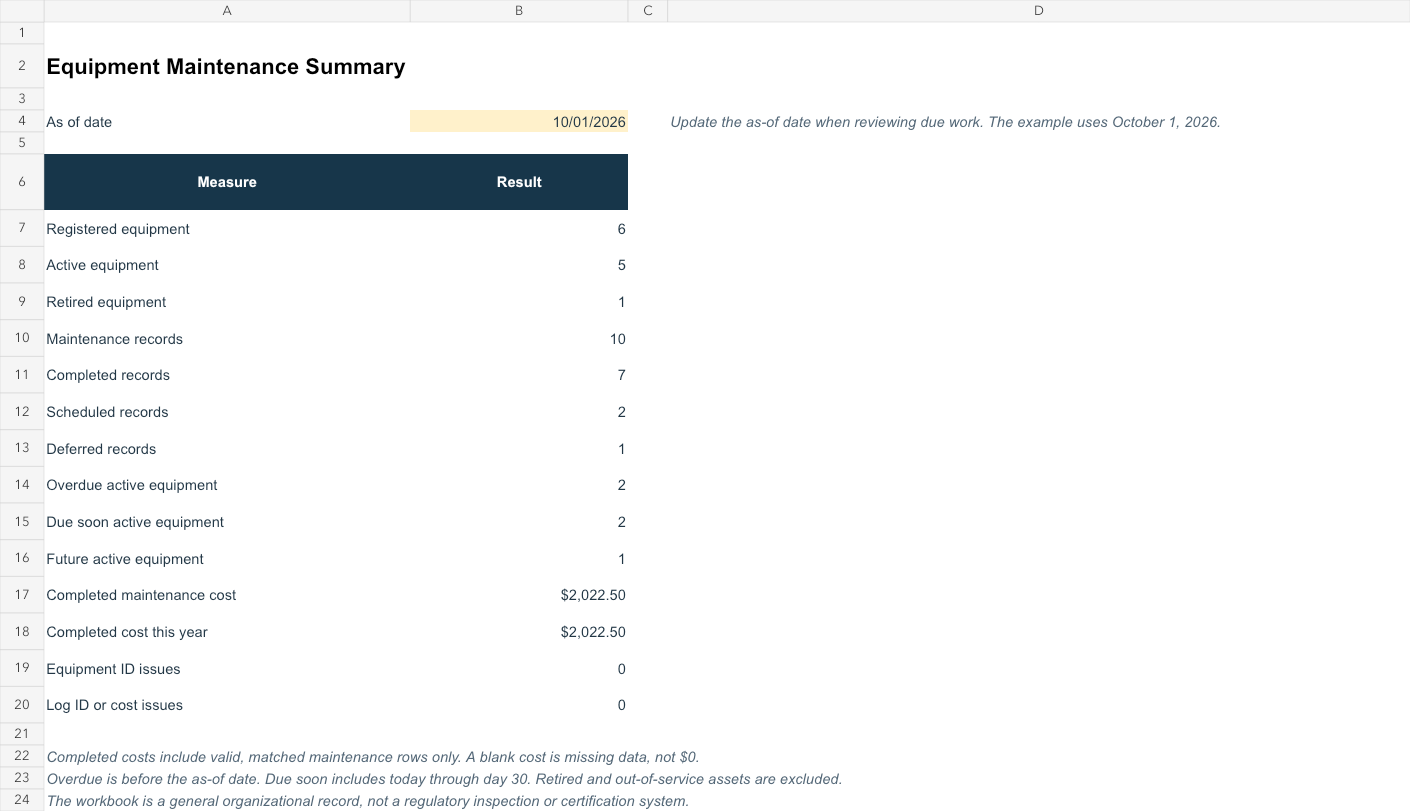

How the workbook works
Give each asset a unique equipment ID in the Equipment Register. Add dated work to the Maintenance Log using that ID. The workbook displays the matching equipment name, adds nonnegative labor, parts, and other costs, and flags missing, unmatched, or duplicate IDs. The Summary counts completed records and completed costs separately from scheduled or deferred work.
Set the current next-service date and optional next-service meter in the Equipment Register. Upcoming Maintenance compares those values with the editable as-of date on the Summary sheet. An active asset is overdue when its next date is before that date, due soon from that date through 30 days later, and future afterward. Blank dates remain “No Date”; retired or out-of-service assets are excluded. A meter is marked due only when its current reading meets or exceeds the entered next-service reading. Historical log dates do not silently overwrite the current schedule.
What to record
The register includes equipment identity, location, owner, status, current meter, and next-service targets. The log includes service date, type, work performed, technician/provider, meter or hours, costs, optional work-order reference, status, and notes. Copy the blank Word/PDF record when you need a printable history for one asset.
Privacy and limitations
There is no maintenance-entry form on this page. Your records stay in the downloaded files you edit locally; this page does not upload equipment names, costs, or notes. The workbook is a general organizational tool, not a safety, regulatory, warranty, or manufacturer-compliance system. Choose service dates and intervals from your own qualified guidance; the template does not recommend them.
Related resources
Work Order Template manages an individual requested job from assignment to completion. This equipment log keeps a longitudinal history across jobs. For cars and other vehicles, use the Vehicle Maintenance Log. You may also find the SOP Template useful for documenting a repeatable process.